Inventory Management Checklist: Daily, Weekly, and Monthly Tasks

Plenty of shoppers walk out of a store without everything they came for.
Zebra Technologies' 2025 Global Shopper Study found that more than half of shoppers worldwide left with at least one item unpurchased, often because it was out of stock. A missing item loses the sale, while an overstocked one loses margin once it gets marked down.
IHL Group puts the global cost of those two problems near $1.7 trillion a year, about 6.5 percent of retail sales worldwide.
Both come down to the same habit: knowing how much you hold and how fast it sells, checked on a schedule you can keep. The tasks below are sorted by how often each one comes up, which gives anyone new to inventory a place to start.
Each task also notes where BoxHero fits in.
Daily Inventory Checklist
1. Check the Day's Incoming & Outgoing Orders
The first few minutes of the day are the natural time to look over what is due to arrive and what is due to go out. For each order, it helps to have the supplier or customer, the item, and the quantity in front of you, along with the outside timing that controls it, such as a carrier's pickup cutoff or a supplier's delivery window.
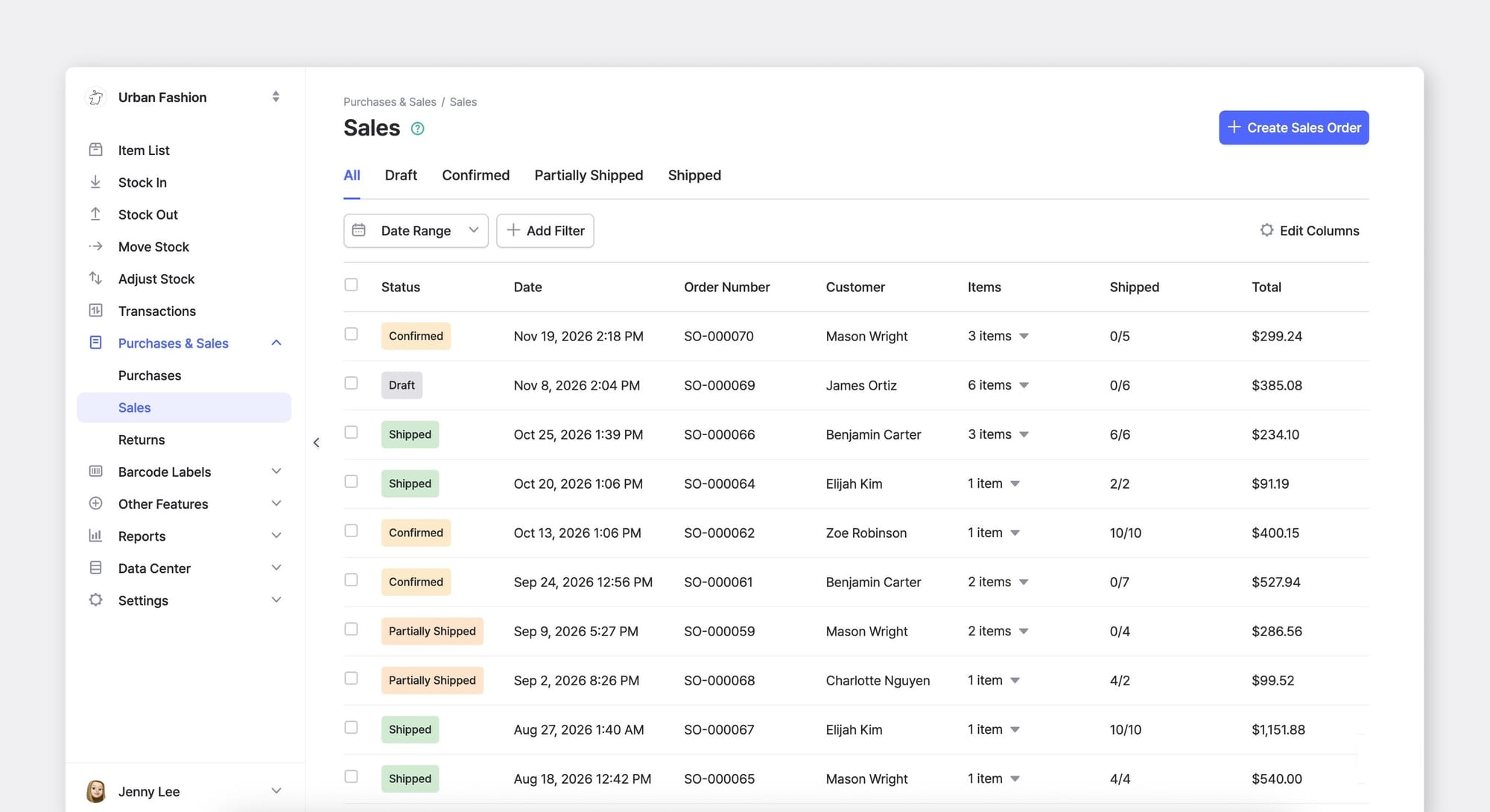
Running through that list in the morning is often where you notice a late inbound order or a short delivery in time to call and sort it out. In BoxHero, Purchases & Sales keeps each open order (and its status) on a single screen, which keeps that morning check short.
2. Record Each Transaction (Right Away)
Recording works best when each receipt, shipment, and transfer goes in as it happens, while the numbers are still fresh. Anything saved for the end of the day tends to lose detail. By closing time, the exact quantity and the reason behind a transaction are harder to recall.
BoxHero lets you record receipts and shipments from a phone as soon as items move in to or out of your inventory. Each transaction syncs in real time, so everyone on the team is working from the same numbers.
Weekly Inventory Checklist
1. Read Back Through the Week's Transactions
Once a week, set aside time to read back through the receipts, shipments, and transfers logged over the past several days. A weekly pass catches things that are hard to spot one day at a time.
Three errors in particular to look for in a weekly read-back:
• A shipment with no matching entry
• A day whose totals sit well above or below the ones around it
Since the entries are still recent, you can usually remember the return that never got logged or the order that went in twice. When something looks off, trace the cause; it's usually a wrong barcode, a missed return, or an untracked transfer.
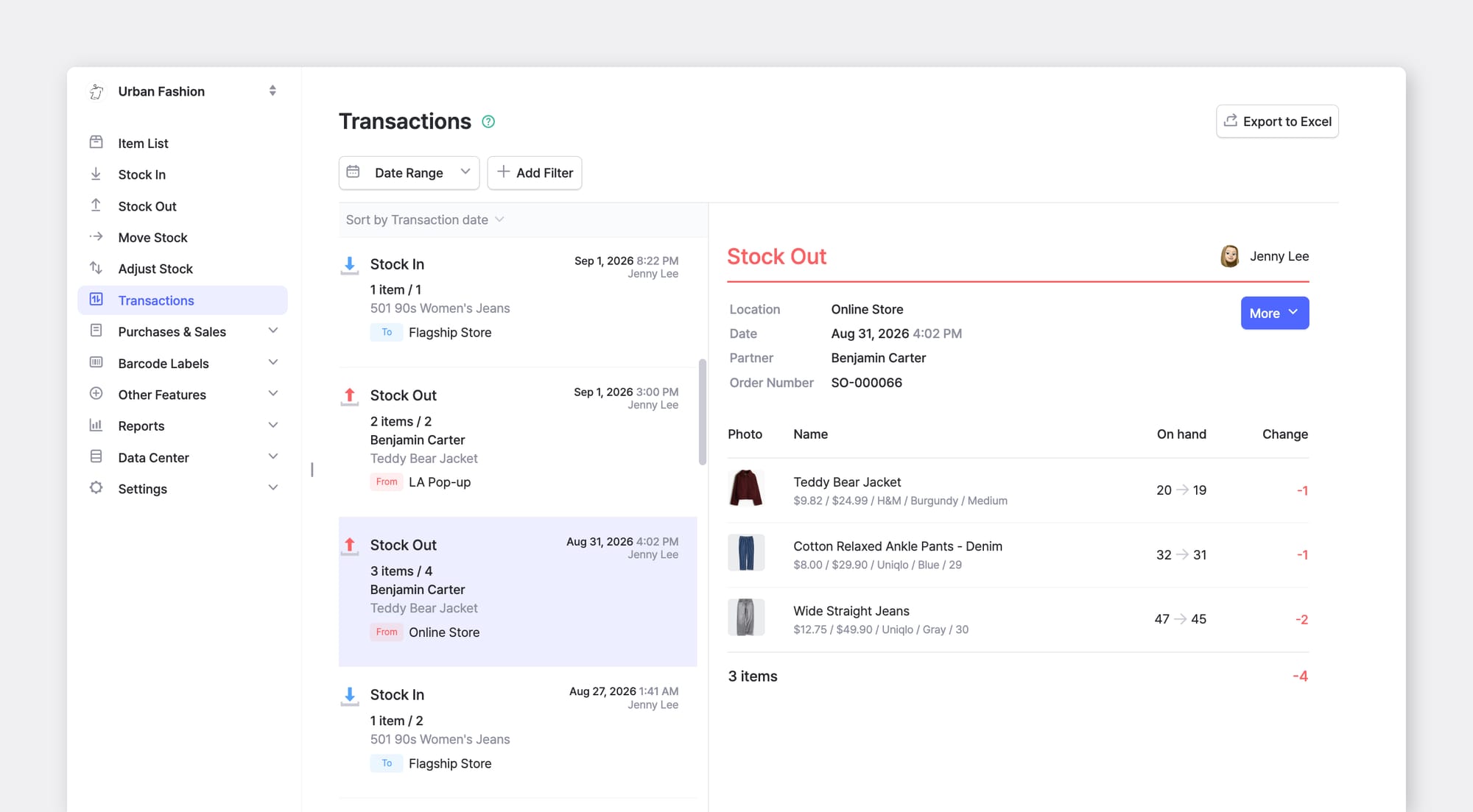
BoxHero's Transactions can pull the last seven days (or any date range you choose), so the weekly review does not mean opening records one at a time.

2. Separate Damaged and Unsellable Stock
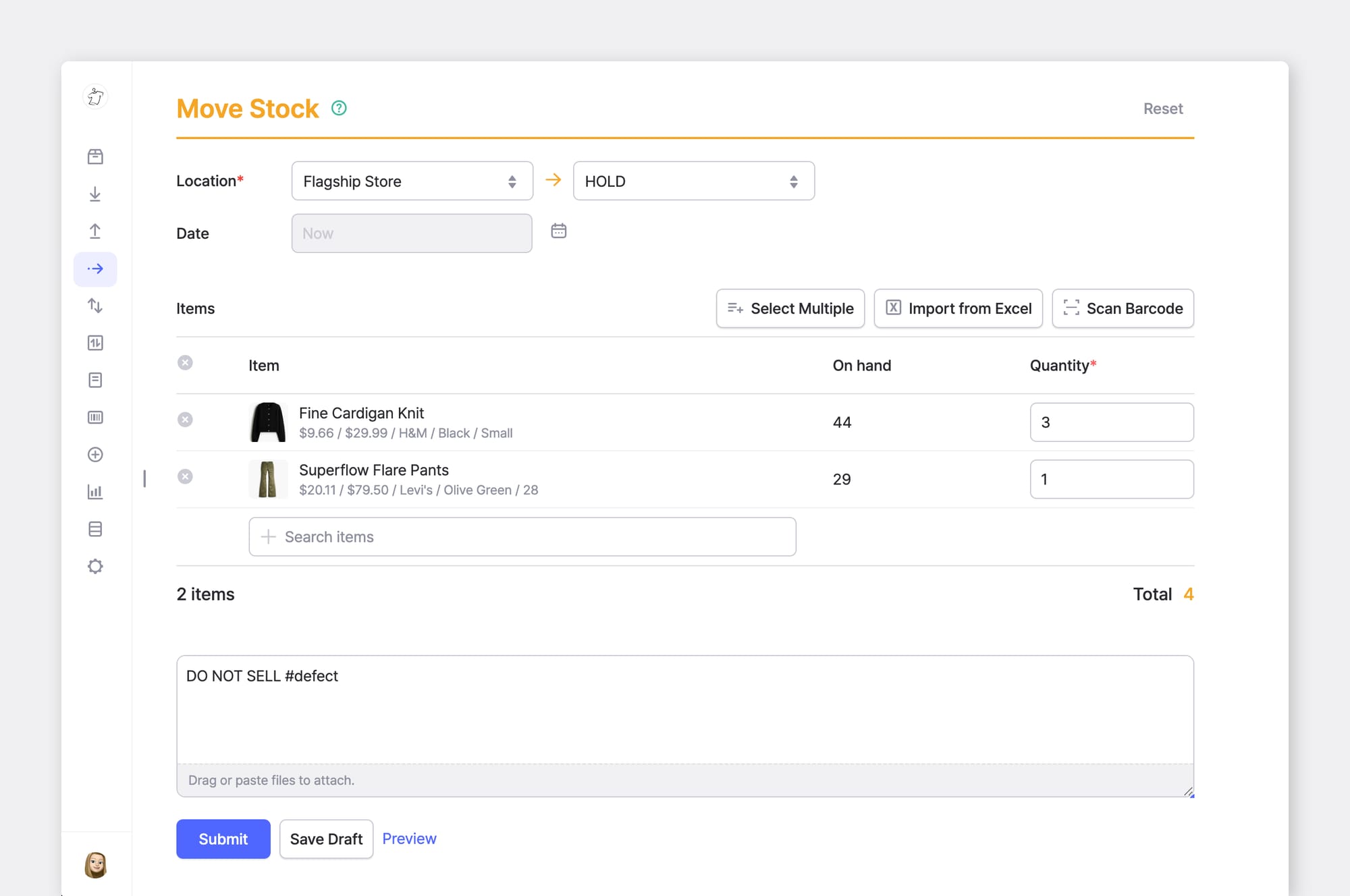
The other weekly task is a quick look at your best sellers for damage or defects, since these fast-moving items are handled most and thus, the most likely to get damaged. Stock like that often still counts as available in the system even though it can't go out, so moving it into a separate location keeps it out of the sellable total and stops it from being picked for a real order.
BoxHero's Move Stock transaction records that transfer to a "hold" location and keeps it in your transaction history in case you need it later.
• Stock In – when you receive items
• Stock Out – when you ship or sell items
• Move Stock – for transferring items between locations
• Adjust Stock – for corrections (damaged, lost, miscounted items)
Monthly Inventory Checklist
1. Count Part of Your Stock Each Month
Every month, count physical stock and compare it to the system — it doesn't have to cover everything at once. Sort items by value or movement, the ABC method: count the top group (roughly the top 20% by value) monthly, the middle group quarterly, and the rest once or twice a year.
Counting a portion this way reveals discrepancies within weeks, where a single year-end count would let them sit for months. That's why cycle counting has largely replaced the once-a-year shutdown for teams that fulfill orders daily.
Jim Fleming of the Institute for Supply Management notes that inventory accuracy "creates an ongoing challenge" precisely because it spans planning, ordering, stock keeping, and fulfillment, so it needs checking on a schedule rather than once.
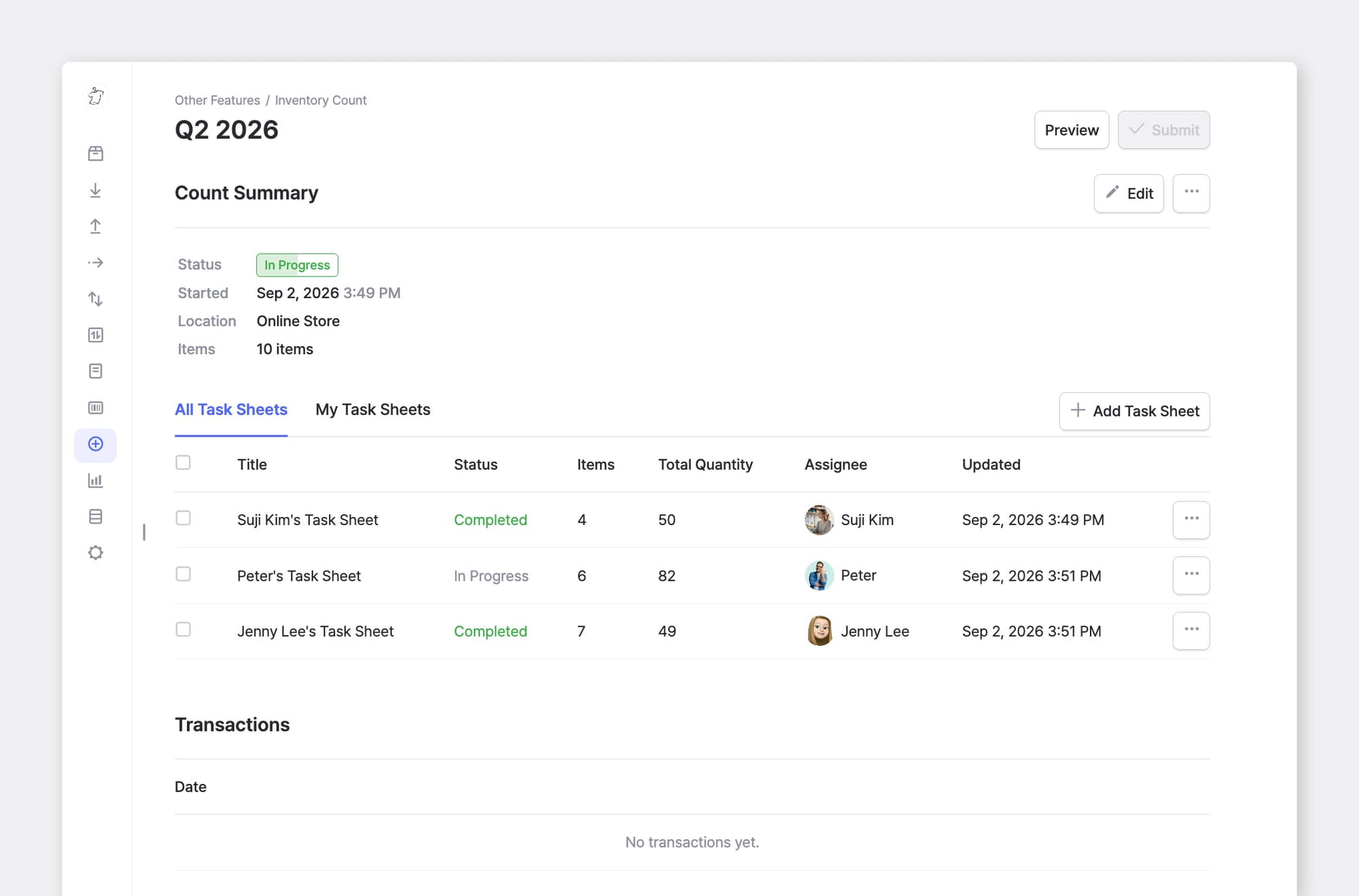
With BoxHero's Inventory Count, several people can count at the same time using phone cameras or barcode scanners, which brings a monthly count down to something a small team can finish before the doors open.
Start with a full physical count to set a verified baseline, then move to monthly cycle counts from there. Compare the two approaches here.
2. Review and Reset Reorder Points
Month-end is the time to look at what sold, what stayed put, and how quickly each item turned over. Flag slow movers to discount, bundle, or discontinue. Then reset the two settings that drive next month's ordering: raise the reorder point on items that keep selling out, and lower it on items piling up.
Excess stock makes up a large part of that global total, with IHL Group attributing more than $550 billion to overstocks that end in markdowns or write-offs. Resetting reorder points and safety stock each month brings both the shortages and the excess down for the items you actually carry.
These figures come straight from the transactions you already logged, so BoxHero's Inventory Reports produces turnover and sales figures without extra steps.
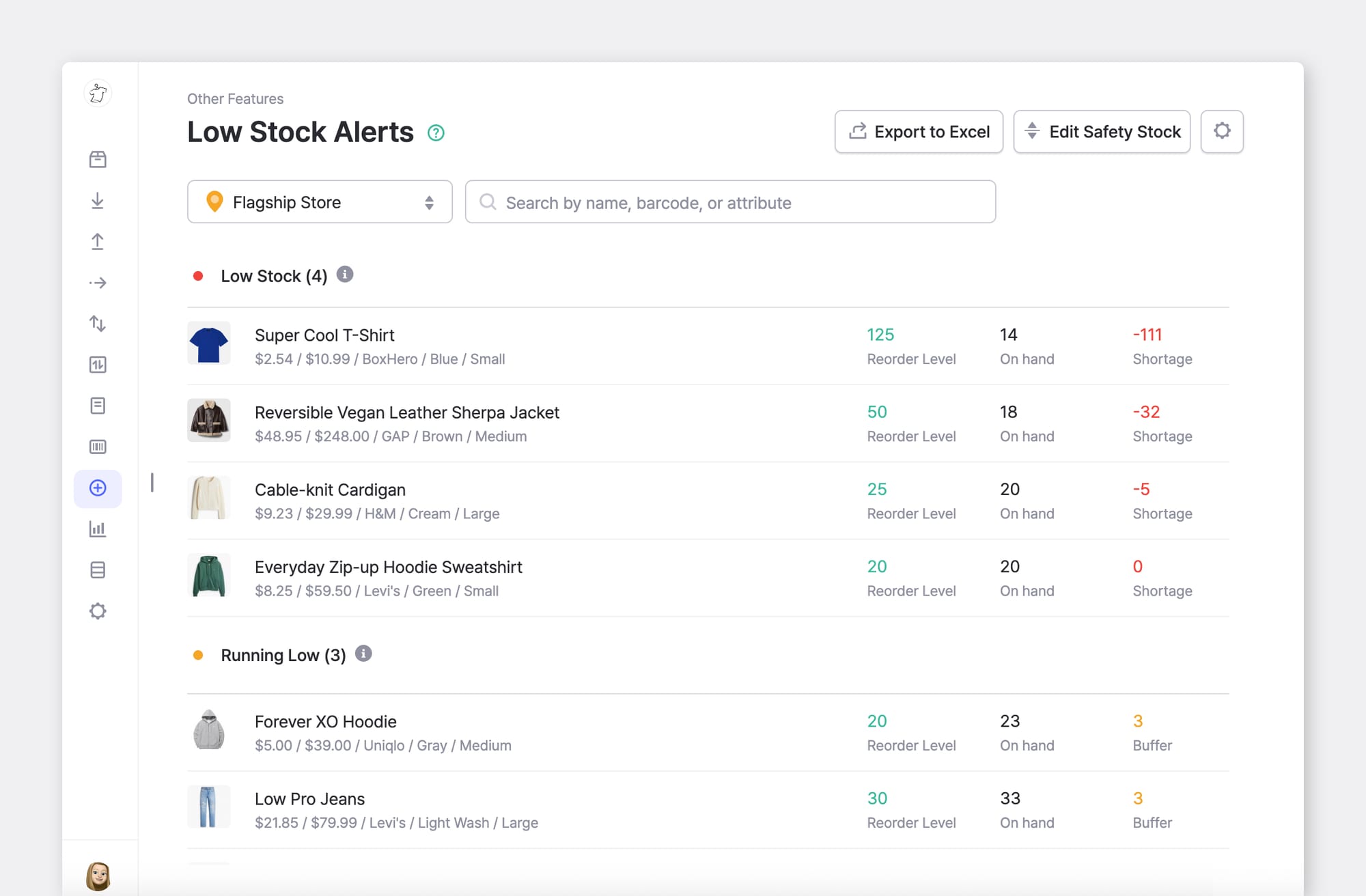
Plus, Low Stock Alerts lets you know when an item drops below the threshold you set so you can reorder in time.
Set the daily list as a recurring reminder and put the weekly and monthly items on a shared calendar, adjusting the counts to your own stock levels.
BoxHero runs the recording, history, counts, and reports of your inventory transactions in these three lists.
RELATED POSTS
 Heehong Moon
 Michael Martinez
 Heehong Moon